
Grims JukeBoxes adds music you can carry, jukeboxes that fill a whole base through linked speakers, and the Werks Big Jukebox with its 45-disc playlist. This is the 0.0.8 stable release for Paper 26.3; your server may tune recipes, limits, volumes, and permissions.
Stable release. This wiki covers Grims JukeBoxes 0.0.8. Ask your server staff about its recipes and settings.
Player wiki
Start Here
Everything runs through chest-style menus that work the same for Java and Bedrock players. There are three ways to play your discs:
- Portable players. The Walkman is crafted or redeemed from a Walkman Voucher, the MP3 Player is an upgrade, and Teemo's Walkman is a special gift from the staff. Each holds its own album of discs and plays only for you.
- Jukeboxes and speakers. Any ordinary jukebox can link to nearby blocks that play the same song, so the music reaches the whole build.
- The Big Jukebox. A neon-lit Werks cabinet with a 45-disc playlist, handed out by the staff.
- Portable albums
- Linked speakers
- 45-disc Big Jukebox
- Ordered or true shuffle
- Crossplay menus
- Songs follow Bedrock players
- Walkman Vouchers
Player wiki
Portable Players
 Walkman9 discs
Your first player. Crafted.
 MP3 Player18 discs
Upgraded from a Walkman.
 Teemo's Walkman18 discs
Given by the staff only.
Crafting
Craft a Walkman from a jukebox:
Walkman
Upgrade it to an MP3 Player by putting your Walkman in the middle. Your saved albums carry over:
MP3 Player
Your server may change these recipes or turn them off.
Your player, your albums
- A portable player belongs to you and plays only for you.
- Only one of your players works at a time. Crafting or receiving a new one turns the old copy into a keepsake, but your saved albums move to the new one.
- No disc is lost when you move to a smaller player. A Walkman holds 9 discs, so the discs past slot 9 of an 18-slot album are handed straight back to you, into your inventory or at your feet if it's full. Chat tells you how many came back.
- Right after crafting, the item shows Loading albums for a moment. If it stays that way, use it again to retry.
- It keeps playing only while it's in your hotbar or offhand.
Crafting a Walkman while an 18-slot player is active is the one exception: those extra discs stay saved out of sight instead of coming back, and upgrading to an MP3 Player shows them again.
Walkman Vouchers
A Walkman Voucher is a reward item, handed out by vote crates and by the staff. It looks like a glowing piece of paper named Walkman Voucher. Right-click it, in either hand, in the air or on a block, and it turns into a Walkman bound to you. If your inventory is full, the Walkman drops at your feet.
- The new Walkman becomes your active music player, even over a Walkman, MP3 Player or Teemo's Walkman you already have. Your saved discs move to it, and the old player becomes a keepsake.
- A Walkman holds 9 discs, so discs past slot 9 of an 18-slot album are given back to you and chat says how many. No disc is lost.
- Chat confirms with Voucher redeemed and names the old music player that is now a keepsake.
- If the Walkman can't be issued, your voucher comes back and your old player stays active with all its discs. Its song has stopped, so press Play again.
- Vouchers don't stack. Each one takes its own slot in your inventory, in chests, in shulker boxes and in hoppers, and two dropped vouchers stay two items when you pick them up.
- One click redeems only the voucher in the hand you used, even with a voucher in each hand. Holding right-click down still redeems just that one, and with a voucher in both hands it's the main-hand one. Click again for the next.
- You can trade, drop and store vouchers. Every voucher works the same, so it doesn't matter which one you use.
It's still paper. Any recipe or villager trade that takes paper will use a voucher up. Keep yours out of the crafting grid until you want to redeem it. Renaming ordinary paper in an anvil does not make a voucher.
Keepsakes
When you get a new music player, your older one is kept as a keepsake instead of vanishing.
- A keepsake never opens and never plays. Using it says it was replaced and that only your newest music player plays.
- It picks up the lore line Replaced: keepsake so you can tell it apart.
- It stays wherever you keep it: your inventory, your ender chest, chests, barrels, shulker boxes, bundles, item frames, shelves and armor stands. Hang it on a wall if you like.
- Dropping a keepsake does not stop the song your active player is playing.
- A keepsake left lying on the ground is cleaned up when its chunk loads again. Pick it back up while you're still there if you want to keep it.
Player wiki
Playing Music
Use your portable player like any item to open its menu. Put music discs into the disc slots, then use the controls along the bottom. The Big Jukebox menu works the same way.
| Control | What it does |
|---|---|
| Play | Starts the selected track from the beginning. |
| Stop | Stops the song right away. Play then starts the track over. |
| Next Track | Moves to the next track and starts it. |
| Mode | Ordered plays the slots from left to right. Shuffle plays every song once, in a random order, before any song repeats. |
| Status | Shows Playing or Stopped, and which slot is selected. |
Shuffle
Shuffle is a real shuffle on portable players and Big Jukeboxes alike. Every song plays once before any song repeats, and the same song never plays twice in a row, not even when a new round starts.
- Several copies of one disc count as one song.
- The round keeps going while you open and close the menu, and through Next, Stop and Play.
- A disc you add mid-round joins the rest of that round at a random place, and a disc you take out drops from it.
- Switching from Ordered to Shuffle starts a new round. So does a server restart.
- Play after Stop restarts the selected song, and Next carries on with the round.
Playback rules
- One song at a time. Play does nothing while a song is playing. Press Stop first to start over.
- There's a short half-second gap between tracks, so two songs never play over each other.
- There's no pause, resume, or seek.
- Changing worlds or dying stops your portable player. Press Play again afterward.
- Adding a song that's already in the album shows a warning. Add it again within a few seconds to confirm.
- Custom music discs from the server's disc packs work just like vanilla discs.
Player wiki
Jukeboxes & Speakers
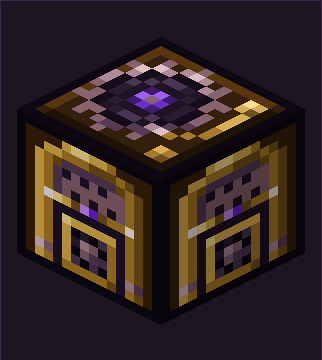
The workshop jukeboxEvery ordinary jukebox wears the EverGrims Werks workshop look on Java and Bedrock, with textures by the EverGrims Werks shop. A jukebox that isn't linked works exactly like vanilla.
Linking speakers
Link a jukebox to other blocks and they all play its song. Any ordinary block can be a speaker, and it keeps its normal look. There's no special speaker block to place.
- Sneak and use the jukebox (or a Big Jukebox) that should lead. Linking mode turns on for 30 seconds.
- Use the block you want as a speaker. It must be within 32 blocks of the jukebox on each axis. You don't need to sneak for this part.
- Linking mode turns off after each link. Sneak-use the jukebox again before picking the next speaker.
- You can link one speaker by default. Your server may allow up to five.
- You can own one linked network at a time. Use
/gjb unlinkto remove it without breaking anything. - Breaking, blowing up, moving, or replacing a speaker block removes its link.
- A speaker linked partway through a song joins in at the next song.
Using a linked jukebox
Put discs in and take them out the normal way. Note particles, comparators, and dancing allays keep working. After a server restart, a linked jukebox stays quiet until its disc goes back in, like a vanilla jukebox. Hoppers and dispensers can't pull discs out of a linked jukebox.
Player wiki
Big Jukebox
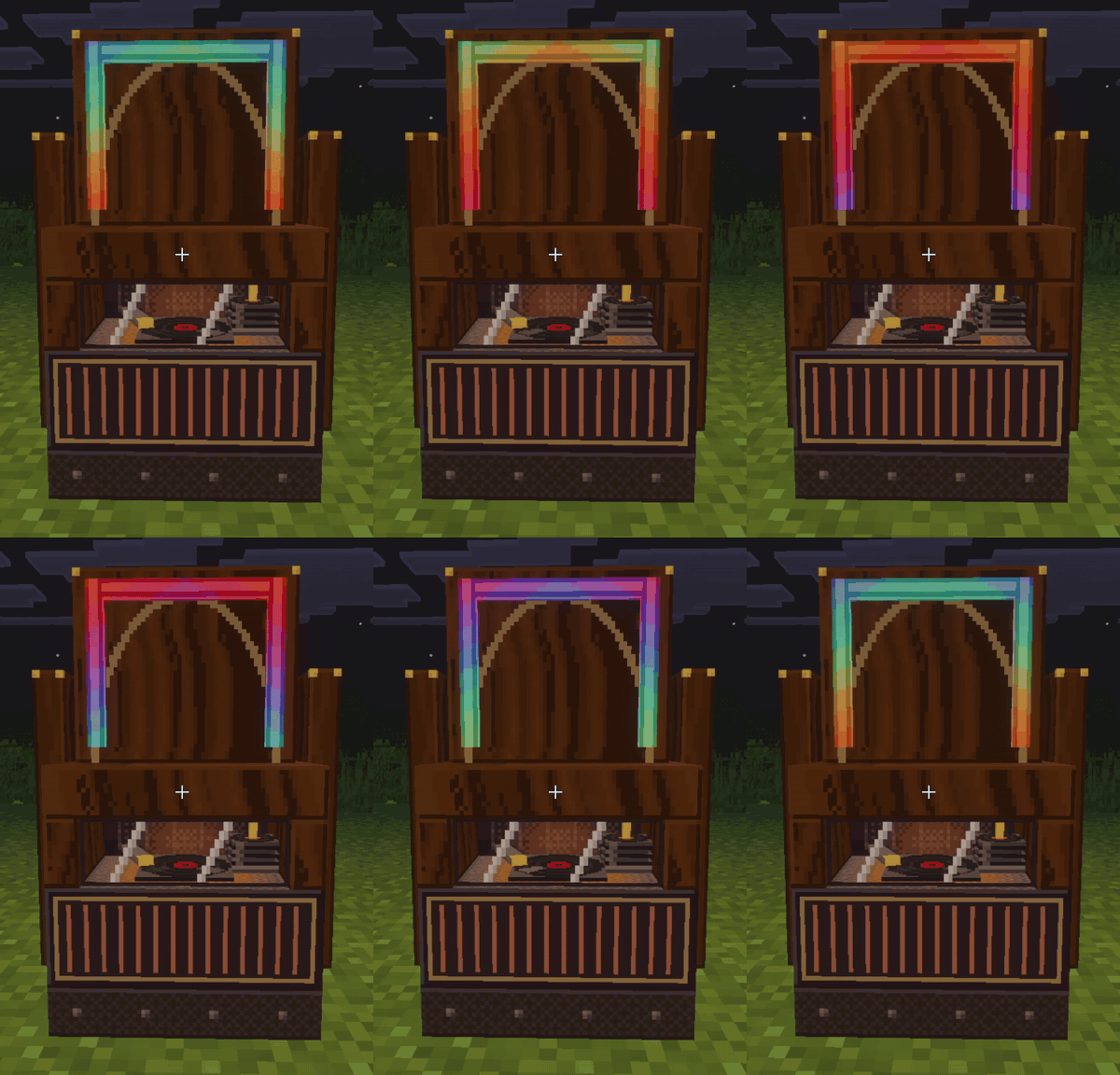
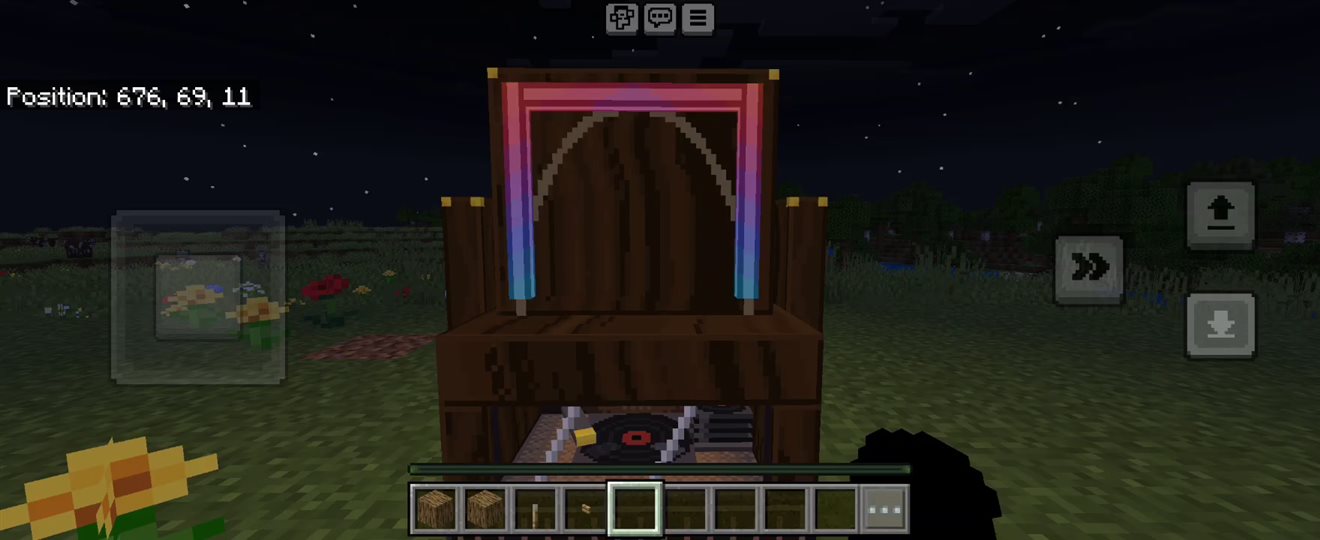
A jukebox you can see from across the field.
The Big Jukebox is a tall music cabinet, about 1.75 blocks high: a dark oak case on a riveted base, a brass-barred speaker grille, a window onto the turntable, and a neon arch that lights up while it plays.
- Holds a 45-disc playlist.
- Ordered or shuffle, like the portables.
- Can lead a speaker network.
- Given out by the staff only.
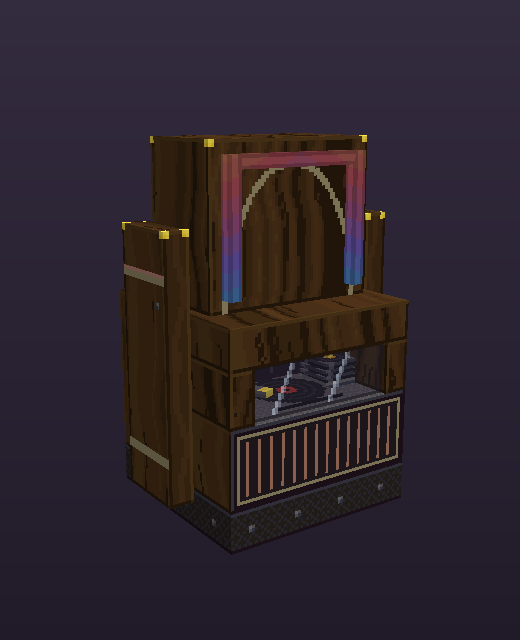
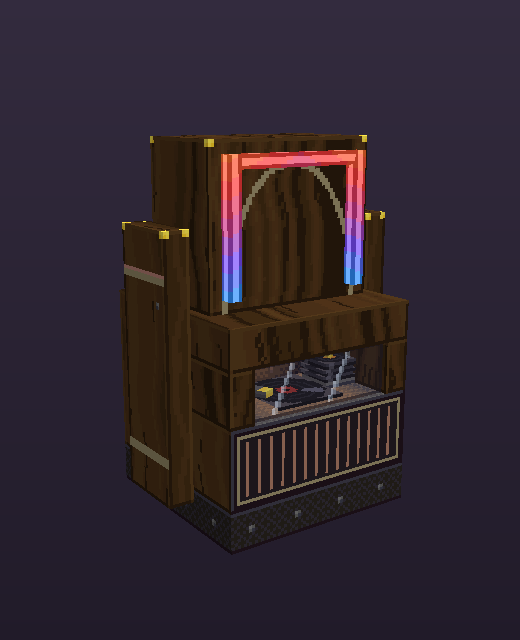
Placing it
The Big Jukebox takes up two blocks: the cabinet and an invisible block above it. The space above must be empty air, with no grass, snow, water, players, mobs, or item frames in it. The front faces you when you place it.
Using it
- Use either block, the cabinet or the space above it, to open its playlist menu. It has the same controls as a portable player.
- Use a music disc on it, from either hand, to add the disc to the next open slot. Adding discs needs a permission your server grants, so ask the staff if it doesn't work.
- The owner or an administrator can arrange and remove the playlist.
- The menu closes if you walk more than 8 blocks away.
Fixed in place
- Left-clicking it plays no note. Redstone, observers, and note-block tuning don't change it, and pistons can't move it.
- Only the owner or an administrator can break it, and only once its playlist is empty. It drops its own item.
- A Big Jukebox that holds tracks survives explosions. An empty one breaks and drops its item.
Player wiki
Java & Bedrock
Java and Bedrock players use the same menus, the same playlists, and the same rules. A few things look or sound a little different:
| Topic | Java | Bedrock |
|---|---|---|
| Walkman music | Plays for you as you move. | Follows you however far you go, with every disc pack the server has. A disc pack the staff just added is covered after the server's next restart. |
| Big Jukebox glass | Smoked glass. | A clear window with a thin rim and two light streaks. From very far away it turns solid smoke. |
| Big Jukebox glow | The glow is drawn into the cabinet itself. | A playing Big Jukebox also lights up the area around it. |
When you join, accept the server's resource pack so the jukeboxes and players show their EverGrims Werks art. On Bedrock there is a second, tiny pack that carries no art: it is what makes your songs follow you. Accept it too. It is downloaded again, once, whenever the staff add new discs.
Player wiki
Commands
/gjb info/gjb unlink/gjb infotells you about the player in your hand or the jukebox you're looking at, such as how many tracks a Big Jukebox holds and whether it's playing. A retired player shows asreplaced, keepsake./gjb unlinkremoves your linked speaker network. No blocks are broken.
/grimsjukeboxes works too. It's the long name of /gjb.